Disconnected Processes
Your BOM is in one system, work orders in another, inventory in a third. Nothing connects the three.Your BOM is in one system, work orders in another, inventory in a third.

DGlide Process Management breaks each product's bill of materials into component work orders and tracks every assembly, QC, and packaging task in one place.DGlide Process Management breaks each product's entire track record in one place.
 Auto-generate component workorders from your BOMDependency control across work orders and tasksInventory validated before production startsAuto-generate component work ordersDependency control across work ordersInventory validated before production starts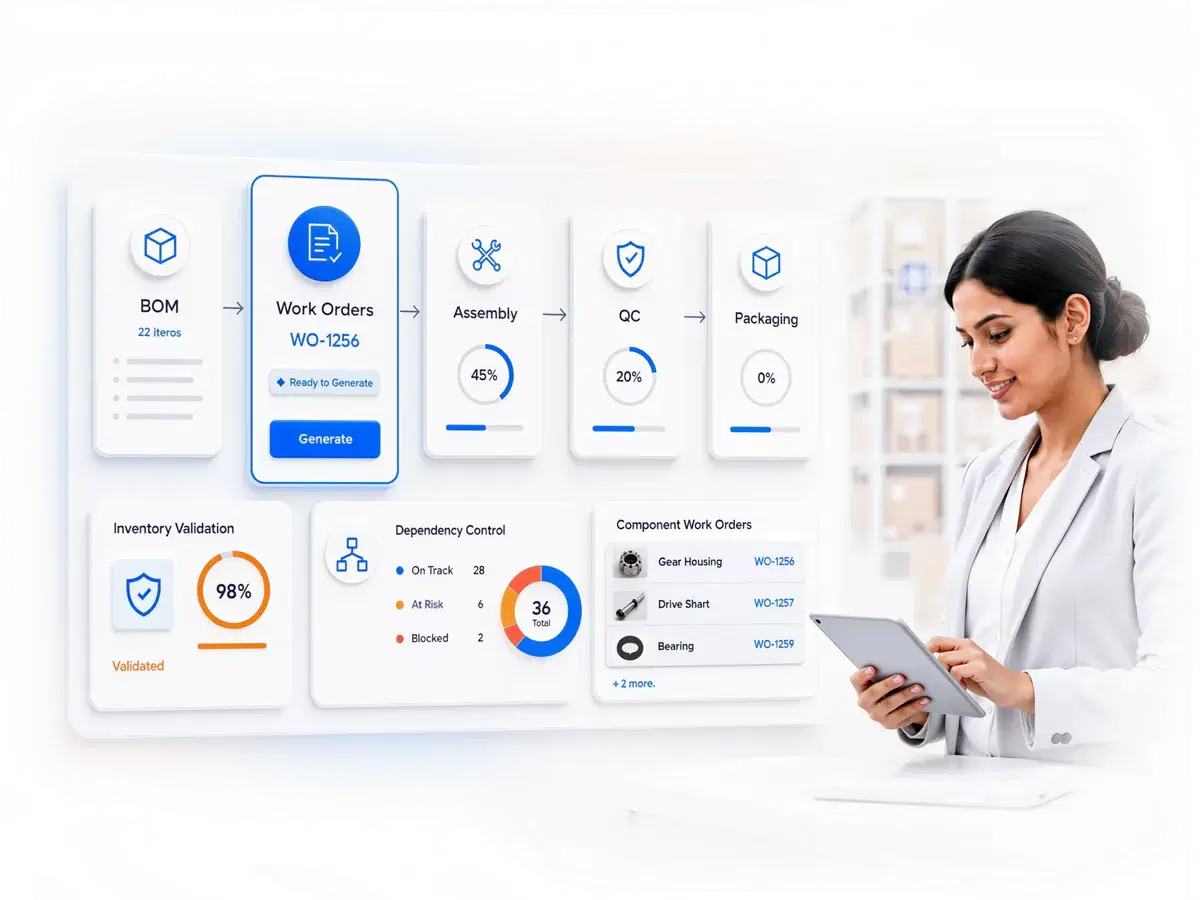
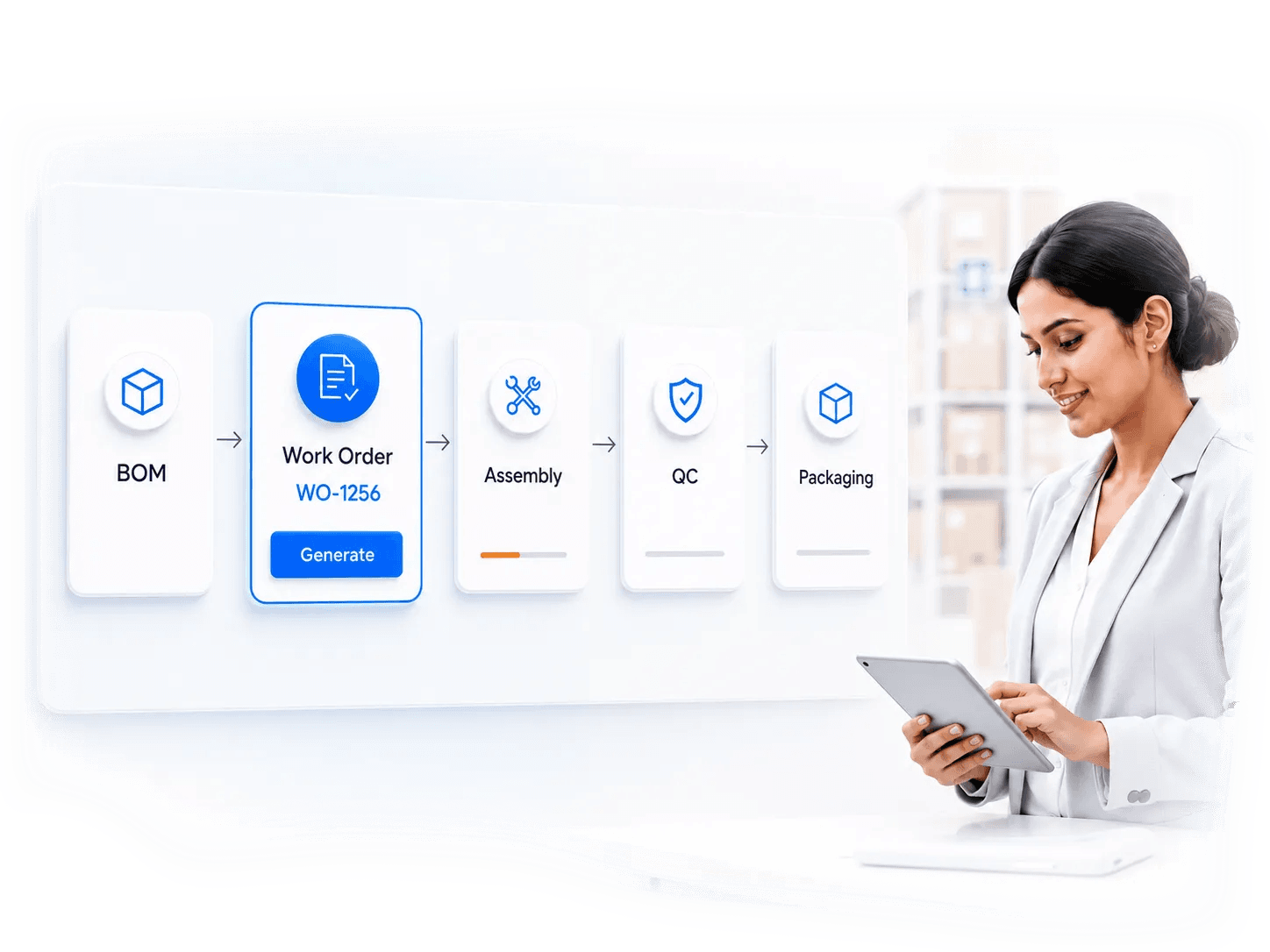
When products, work orders, and inventory live in separate tools, the gaps hide until production stalls.
Your BOM is in one system, work orders in another, inventory in a third. Nothing connects the three.Your BOM is in one system, work orders in another, inventory in a third.
You see the finished product on the schedule, but not where each component work order actually stands.You see the finished product on the schedule, not where work order actually stands.
Every sub-assembly and task gets tracked by hand on spreadsheets and whiteboards. It breaks as volume grows.Every sub-assembly and task gets tracked by hand on spreadsheets and whiteboards.
Nobody confirms material availability until production stalls. The shortage surfaces after the work order has already started.Nobody confirms material availability until production stalls.
Final assembly waits on a component nobody flagged as late. One missed dependency stalls the entire build.Final assembly gets stalled because of someone missed to flag a component.
DGlide Process Management fits manufacturers who build products from components, sub-assemblies, and multi-step tasks.
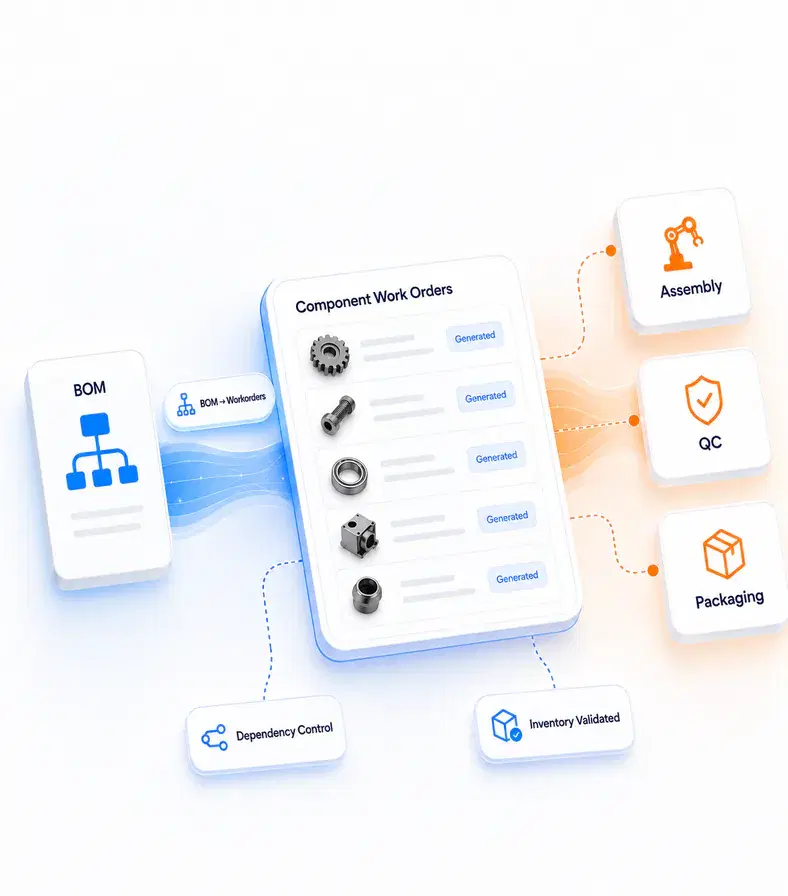
When a product is built from sub-assemblies, DGlide explodes the BOM into component work orders and tracks each one to completion.When a product is built from sub-assemblies, DGlide explodes the BOM into component work orders and tracks each one to completion.
DGlide connects every stage of production, from defining the BOM to shipping the finished build, in one platform.
Define the finished product with its components and bill of materials, once.Define the finished product with its components and bill of materials.
The system auto-generates component-level work orders from the product structure, no manual entry.The system auto-generates component-level work orders.
Material availability is validated and reserved against each workorder before production starts.Material availability is validated and reserved against each workorder.
Teams run assembly, QC, testing, and packaging tasks with dependencies enforced automatically.Teams run assembly, QC, testing, and packaging tasks automatically.
Follow the build to the finish, with status and inventory visible throughout.Follow the build to the finish, with real-time inventory visibility.
Define each finished product with its structured components and bill of materials. Set the structure once, and every work order, task, and material check flows from it.
“One clear product structure means every build starts from the same source of truth.”
For teams already weighing a switch: a straight comparison against a rigid ERP module, including where it still wins. "Add-on" means the capability exists, but only as a separate paid extra.
What your production floor runs into
DGlide Process Management
Rigid ERP / MES module

Getting the system live
Go live faster, without a heavy build — no consultant-led program
Partner-led rollout that runs for months
Changing a workflow after go-live
No-code. Add a product line without adding a software project
Admin scripting or a vendor request
BOM, component work orders, QC and packaging
One platform for the whole production lifecycle, one scoped plan
BOM, work orders and inventory in separate systems
AI for dependency flags and material-shortage alerts
Already in your quoted plan
Paid tier, add-on or licence uplift
What you pay after go-live
Fixed to the scope you agreed. No surprise add-ons
Climbs as modules and users get added
You’ll add product lines
Add a product line without adding a software project
You scope a new implementation
Comparison reflects typical enterprise-suite licensing and rollout as of September 2026.
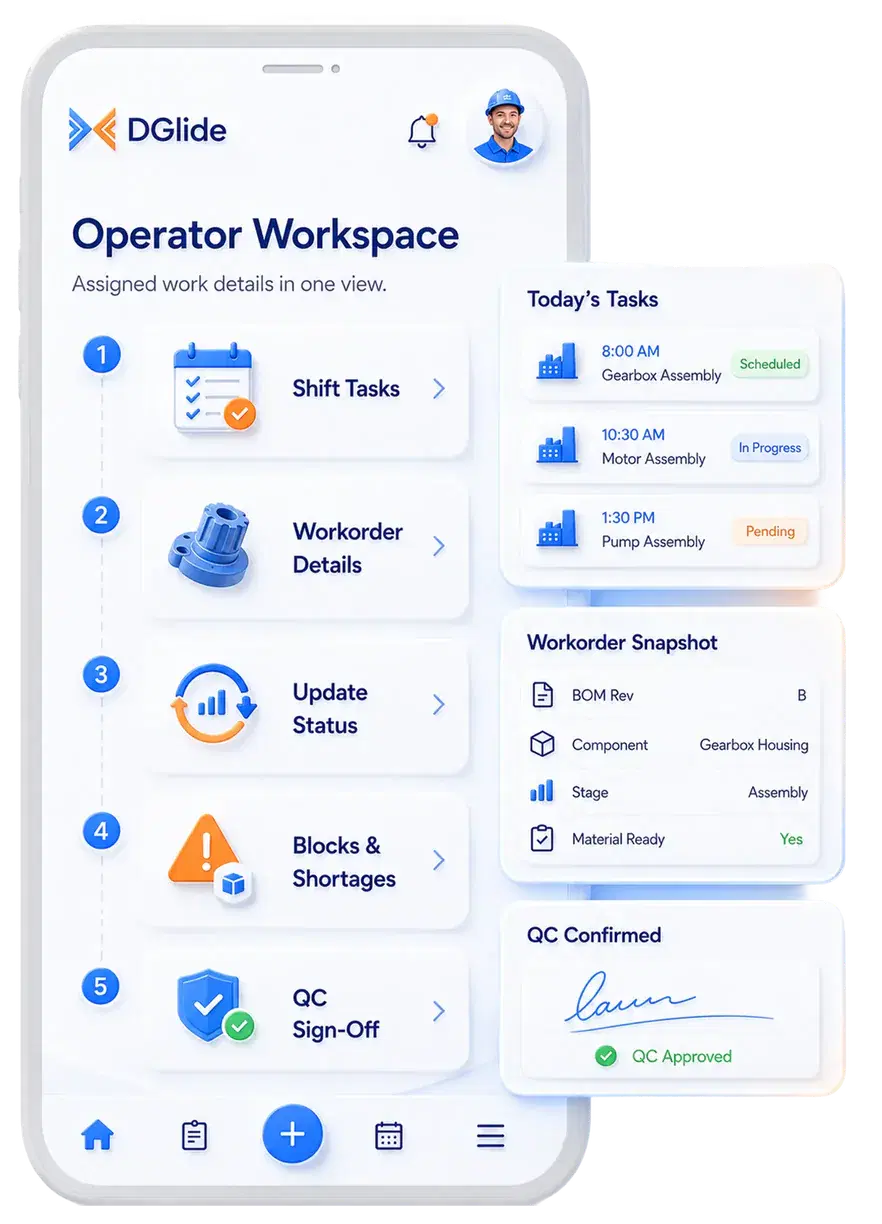
Operators shouldn't chase updates or ask what to build next. DGlide puts assigned tasks, work order details, and status updates in a single view.
See every task assigned for the shift, in the order the build actually requires.See every task assigned for the shift, in the order the build actually requires.
Until now, you had two bad options: software that does not fit, or a custom build that never ends. DGlide is the 3rd: Best of All Worlds.


New product lines, new variants, new QC steps: none of it stays fixed for long. DGlide reconfigures around the change, without code.


The whole lifecycle is visible in one place, so control doesn't depend on who's on shift.
“We were spending lakhs to generate leads, then losing them because nobody saw the alert in time.”
With one system tracking every lead, project, and complaint, response times collapsed and almost nothing slipped.
0X
More Leads Captured
0 min
Response Time, from 40+
A working Process Management system, configured to your production workflows and live in weeks, not a year-long implementation.
Map your products, BOMs, dependencies, material checks, and QC rules.Map your request types, approvals, SLAs, and resolution rules.
Adapt workorders, tasks, approvals, and dashboards to how you manufacture.Adapt forms, workflows, approvals, and dashboards to how you work.
Prepare operators, supervisors, and production managers to run it.Prepare agents, approvers, and service managers to run it.
Start running real production operations inside DGlide.Start running real service operations inside DGlide.
Refine workorders, dependencies, and workflows after real usage begins.Use the Living Service Model to refine workflows after real usage begins.
DGlide integrates with your existing business environment from the start.DGlide integrates with your existing business environment from the scratch.