

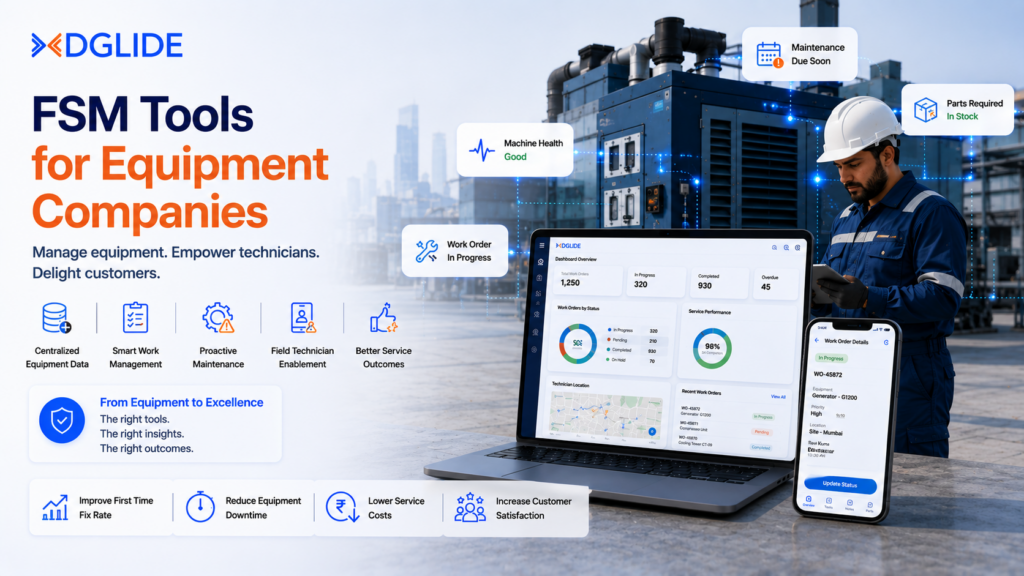
Equipment companies managing 50 to 500 field technicians on WhatsApp groups and Excel-based job sheets are not running lean operations. They are running a coordination problem disguised as a workflow. Most FSM tools available today were designed for either a 10-person trade contractor or a 10,000-employee enterprise.
The 400-person manufacturing company or facility management firm in between pays enterprise pricing for features it will never use, or settles for a lightweight tool that breaks under the weight of actual operations.
For a VP Operations or IT Head managing field service teams across manufacturing plants, airport facilities, or equipment deployment sites in India or the Middle East, the stack typically looks like this: a ticketing system no one updates, a WhatsApp group that no one can audit, and an Excel sheet that one person owns and no one else can read.
According to Fortune Business Insights, the global FSM market is projected to reach USD 13.79 billion by 2034. Manufacturing holds the largest vertical share. The growth signal is clear. What is less clear is which FSM tools are actually built for mid-market equipment companies, and which ones will require a consultant to set up and another consultant to modify. This guide covers exactly that.
Key Takeaways
- Most enterprise FSM platforms are built for 5,000-user deployments. A 400-person manufacturing company pays for that complexity whether it needs it or not.
- Technician scheduling on WhatsApp is not a cost-saving decision. It is a visibility gap that compounds every week.
- The right FSM tool for an equipment company is one its field supervisors configure on day one, not one requiring a six-month implementation project.
- No-code workflow configuration is what separates tools that get adopted from tools that get shelved after two months.
- In 2026, the FSM evaluation question has shifted: not “which tool has the most features” but “which tool my VP Operations team can actually run.”
What Makes an FSM Tool Right for Equipment Companies?
FSM tools for equipment companies differ from general-purpose field service platforms in one critical way: the asset is the unit of work, not the appointment.
A manufacturing service desk needs to track what happened to machine #47 on the shop floor in Pune, not just which technician was dispatched at 10am. This distinction changes every feature requirement: scheduling, ticketing, mobile access, and reporting.
Most buyer guides list the same five features across every FSM tool. The more useful question is which capabilities a mid-market equipment operations team can actually configure without an implementation partner. Below are the criteria that separate genuinely usable FSM tools from expensive shelf-ware.
| Capability | Why It Matters for Equipment Companies |
| No-code workflow configuration | A field supervisor should configure a new job type in an afternoon, not in a sprint with IT |
| Asset-linked ticket management | Every service request must attach to a specific piece of equipment with full service history |
| Mobile-first access for technicians | Technicians need job details, manuals, and status updates from the field, not from the office |
| GPS-based field team tracking | Knowing where 80 technicians are, in real time, is a basic operational requirement in manufacturing and logistics |
| AI-powered task scheduling | Assigning jobs by skill set, location, and availability manually across 200 technicians takes two hours every morning. It should take two minutes. |
| SLA tracking with audit trail | Equipment maintenance SLAs are contractual. If there is no timestamped record, the SLA breach cannot be proved or disputed. |
| Modular, API-first architecture | Equipment companies do not need one monolithic platform. They need modules that plug into ERP, CRM, and existing tools without custom code. |
Any FSM tool that cannot satisfy at least five of these seven criteria will create as many operational problems as it solves. This is not a feature checklist. It is the minimum bar for a mid-market equipment company with real field operations to get value from the first month of deployment.
Why Most FSM Implementations Fail Before the Go-Live Date
Every top-ranked comparison article on FSM tools for equipment companies reaches the same conclusion: pick the tool with the most features. This advice is operationally backwards.
Most FSM implementations fail not because of the software but because the vendor built the platform around their professional services team’s billing cycle, not around the equipment company’s field supervisor’s daily routine.
In our experience working with manufacturing clients on field operations deployment, the pattern repeats consistently. The implementation runs for four to six months. The consulting team configures every module. The VP Operations signs off. The go-live happens.
Then, three weeks later, the field supervisors are back on WhatsApp because no one on the operations team knows how to add a new job type without raising a support ticket with the vendor.
The real FSM selection criterion is not feature depth. It is configurability by non-technical users.
| “Organizations that invest in field service management software report a 19% improvement in productivity and a 16% increase in customer satisfaction.”
– Aberdeen Group Research |
The Aberdeen Group finding above is accurate for organizations where the FSM tool is actually adopted by the field team. It is not accurate for organizations where the FSM tool sits alongside a parallel WhatsApp coordination system because the software required a developer to modify. The adoption gap is the implementation failure mode no vendor brochure mentions.
| If your field supervisors are still manually assigning jobs to 80 technicians every morning because your current FSM tool requires IT to change the workflow, this is worth one conversation.
See how DGlide’s no-code workflow engine works in your environment |
What Enterprise FSM Platforms Do Well (And Where They Break Down for Equipment Companies)
The platforms that dominate the Google AI Overview for FSM tools in 2026, including ServiceMax, IFS Field Service, and Oracle Field Service, are built to solve genuinely complex problems at scale.
ServiceMax excels at asset lifecycle tracking for large enterprises in energy and medical devices. Oracle Field Service uses predictive analytics to optimize scheduling for thousands of technicians across utility companies. These are real capabilities with real value at the right organizational scale.
The problem is organizational fit. A 300-person manufacturing company in Maharashtra deploying FSM for the first time is not the same buyer as a utility company with 8,000 field engineers. Matching those buyers to the same platform creates a mismatch in implementation cost, configuration complexity, and time-to-value. Below is where the leading enterprise platforms perform and where they create friction for mid-market equipment companies.
| Platform | Genuine Strength | Where It Breaks Down for Mid-Market |
| ServiceMax (by PTC) | Deep asset lifecycle management, IoT diagnostics, AR-assisted repair | Requires specialist implementation. Pricing and consulting fees built for 1,000+ user enterprises. |
| IFS Field Service | EAM integration, AI scheduling, strong mobile offline access | Complex deployment, no public pricing, consultant-dependent configuration changes |
| Oracle Field Service | Predictive travel time, route optimization at large scale | Primarily suited to utility and telecom with massive technician counts |
| Salesforce Field Service | CRM integration, Einstein AI dispatch, IoT asset connection | Add-on pricing model. FSM capabilities require CRM base license already in place. |
| Zuper | Mobile-first interface, AI Copilot, modern UX for fast-moving teams | Limited asset management depth for complex equipment hierarchies |
The honest assessment: if your organization operates 5,000 or more field technicians across multiple global regions with complex IoT-connected equipment, ServiceMax or IFS may genuinely be the right fit. For a 200-to-800 person equipment company in India or the Middle East looking to replace WhatsApp, Excel, and disconnected ticket queues with one working system, these platforms create more complexity than they resolve.
What Has Changed in FSM for Equipment Companies in 2026?
Three developments in 2026 are changing how mid-market equipment companies approach FSM selection. The first is the widespread availability of no-code AI scheduling. In 2024, AI-powered dispatch was an enterprise feature. As of 2026, AI task scheduling based on skill set, location, and availability is table stakes in modern FSM platforms, including platforms priced for mid-market buyers.
The second shift is the rise of low-code configuration as a market differentiator. According to Mordor Intelligence, low-code platforms are emerging as disruptors in the FSM market in 2026, enabling rapid customization without deep coding expertise and shrinking implementation timelines. Equipment companies in manufacturing, logistics, and facility management are specifically choosing platforms their operations teams can configure independently.
The third shift is the India and Middle East market acceleration. India’s FSM market is projected to grow at 21.4% CAGR through 2033, driven by industrialization and high digital maturity among the workforce. For a VP Operations in Pune or Dubai evaluating FSM platforms, the question is no longer whether to adopt. The question is whether to adopt a platform built for the operational context of a 400-person Indian or Gulf-region manufacturing company, or to inherit a platform designed for a US enterprise market.
Which Features Should Equipment Companies Actually Prioritize?
The AIO results for this keyword consistently highlight asset lifecycle tracking, preventive maintenance, and complex scheduling as the top priorities for equipment-focused FSM. These are accurate. But they are also the features every vendor claims to offer. The more useful evaluation framework focuses on operational realism: which of these features can a non-technical operations team configure, run, and modify without vendor involvement?
Below is the evaluation sequence we recommend for a VP Operations or IT Head at a 200-to-800 person equipment company. Each step targets a specific failure mode in FSM selection.
- Step 1: Can a field supervisor add a new job type without raising a support ticket? Ask the vendor to demonstrate this live. Any requirement for developer involvement at this step indicates a configuration dependency that will slow every future change.
- Step 2: Does the mobile app work offline and sync automatically? Technicians in manufacturing plants, airport facilities, or remote deployment sites do not have reliable connectivity. If the app requires internet for every action, it will be abandoned within the first week.
- Step 3: Is SLA tracking built in with timestamped audit trails? Ask to see the ticket creation-to-resolution timeline view. If SLA breach reporting requires a custom report build, it will not get used.
- Step 4: Does asset history attach to every ticket automatically? A field technician arriving at a machine should see every previous service event without asking the dispatcher. If this requires manual data entry, it will not happen.
- Step 5: What is the actual deployment timeline, not the vendor’s best-case scenario? Ask for the average deployment timeline across the last five mid-market clients. Any answer beyond six weeks for a basic deployment warrants a follow-up question about consulting requirements.
This five-step framework eliminates approximately 70% of the enterprise platforms that are technically capable but operationally unsuitable for a mid-market equipment company in India or the Middle East.
| Is your equipment company currently evaluating FSM tools? Run this five-step framework with any vendor, including DGlide, and compare what you find.
Book a 15-minute evaluation call with DGlide’s operations team |
Why Should You Choose DGlide for Field Service Management?
Equipment companies in manufacturing, facility management, and airport operations that are running field service coordination on WhatsApp groups and disconnected ticket systems have a specific problem.
The solution is not an enterprise FSM platform that takes six months to deploy and requires a specialist to reconfigure. The solution is a platform their operations team owns from week one. DGlide’s Field Service Management is built specifically for this scenario.
DGlide is an AI-native, no-code/low-code platform designed for 200-to-800 person operations-heavy companies in India and the Middle East.
Its FSM module includes GPS-enabled field team tracking, AI-powered task scheduling, mobile-first technician access, real-time task coordination, and performance analytics. Every workflow is configured by operations staff, not by developers. The first workflow is live on day one.
What DGlide solves directly for equipment companies:
- Replaces WhatsApp coordination: every job assignment, status update, and technician location is tracked, timestamped, and auditable from a single dashboard
- No-code workflow engine: a VP Operations team configures new job types, routing rules, and SLA parameters without IT involvement
- AI scheduling: assigns technicians by skill set, proximity, and availability, eliminating the two-hour manual morning assignment routine
- Asset-linked tickets: every service request attaches automatically to the specific equipment record with full service history visible to the arriving technician
- Mobile-first offline access: technicians access job details, manuals, and update status from the field, with or without connectivity
- Modular and API-first: connects to DGlide CRM, ITSM, and Ticket Management modules without custom code
DGlide deploys in days to weeks, not six to twelve months. Organizations that have made the switch consistently report 40% IT cost savings compared to legacy vendors. An airport operations client built a full ticketing system, asset monitoring platform, and lost-and-found module, all configured by non-technical operations staff, in under three weeks.
DGlide vs the alternatives:
- vs ServiceMax: DGlide deploys in weeks, not six to twelve months. No specialist implementation required. Consulting fees: zero.
- vs WhatsApp and Excel: DGlide gives every stakeholder a timestamped, searchable, auditable record of every field job. WhatsApp gives a scroll history no one can report from.
- vs IFS Field Service: DGlide’s operations team configures workflows in drag-and-drop. IFS requires consultant involvement for configuration changes.
- vs Salesforce Field Service: DGlide includes AI scheduling, automation, and all workflow features in the base platform. Salesforce Field Service requires a base CRM license before FSM features are accessible.
One honest note: DGlide is not the right fit for organizations with 5,000 or more users across multiple global regions with complex multi-system IoT infrastructure requirements. Those are scenarios where ServiceMax or IFS justify their implementation cost. For a 200-to-800 person equipment company in India or the Middle East looking for a working FSM system their own team runs, the fit is direct.
| If your equipment company is currently coordinating field teams across WhatsApp groups, Excel job sheets, and a ticket queue no one trusts, DGlide is worth one 15-minute conversation. |
The Right FSM Tool Is the One Your Team Actually Runs
FSM tools for equipment companies are not evaluated correctly when the selection criterion is feature count or enterprise brand recognition. A manufacturing operations team in Pune does not need the same platform as a global utility company managing 10,000 field engineers. The right tool is the one a VP Operations team configures on day one, field supervisors use from day two, and no implementation partner is required to modify on day ninety.
For mid-market equipment companies in India and the Middle East, the FSM decision in 2026 comes down to whether the platform was built for their operational context or adapted from an enterprise product that was not. A good starting point is the DGlide FSM module or the DGlide solutions overview. Both show what a deployment looks like for a 300-to-500 person operations team without a consultant in the room.
FAQs: FSM Tools for Equipment Companies
The best FSM tool for mid-market equipment companies in India is one that deploys in weeks, requires no specialist for configuration, and gives operations teams full control over workflows. Platforms like DGlide are specifically built for 200-to-800 person companies in manufacturing, facility management, and aviation that need GPS tracking, AI scheduling, and no-code workflow configuration without enterprise pricing or consultant dependency.
FSM tools for equipment companies must include asset-linked ticket management, GPS-enabled technician tracking, AI-powered job scheduling, mobile-first offline access, and SLA tracking with timestamped audit trails. These five capabilities cover the core operational requirements for any equipment-focused field service team managing service delivery against contractual maintenance schedules.
Modern no-code FSM platforms for manufacturing companies deploy in days to weeks when the platform is designed for non-technical configuration. Enterprise platforms like ServiceMax or IFS typically require six to twelve months of implementation with consulting support. The deployment timeline is the single most reliable signal of whether an FSM tool was built for mid-market operations or adapted from an enterprise product.
FSM software replaces WhatsApp for field team coordination by providing timestamped job assignments, real-time GPS visibility, automated scheduling, and a complete audit trail for every field interaction. WhatsApp provides none of these. An equipment company managing 80 or more field technicians through WhatsApp has no record of SLA compliance, no visibility into technician location, and no way to report on job completion rates without manual data aggregation.
