

Quick Answer
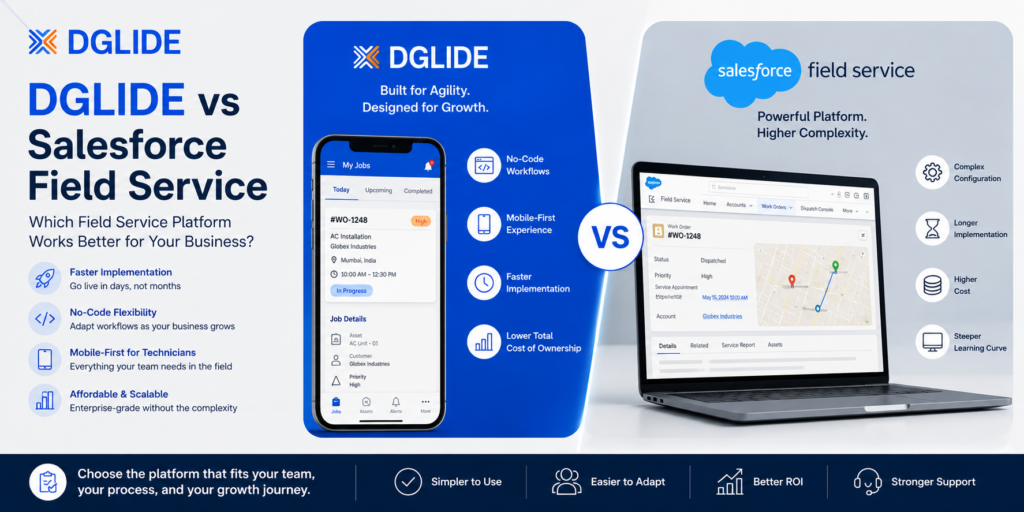
DGlide and Salesforce Field Service suit different operating models. DGlide fits teams that need operations leaders to change field workflows, ownership rules, forms, and handoffs without waiting for a specialist administration queue.
Salesforce Field Service fits organisations where Salesforce already governs customer data, service records, process control, and change management. The right choice depends on who must own the operating change after the platform goes live.
Why This Comparison Matters in 2026
A DGlide vs Salesforce Field Service decision determines whether the next change to a field workflow sits with the service team or a Salesforce administration queue. For a COO handling maintenance, installations, customer visits, or asset service, that ownership decides how quickly a failed handoff becomes a corrected process.
Field service leaders are under pressure to reduce rework without burying technicians in more system steps. Salesforce reports that 47% of appointments do not go as planned, while 81% of technicians believe AI agents could help them work more efficiently.
| “47% of appointments do not go as scheduled.” |

Figure 1. Field service readiness signals reported in Salesforce research.
Source: Salesforce, “3 Field Service Trends Today’s Leaders Need to Know”
The comparison should therefore focus on operating control, not only scheduling features. The useful platform is the one that joins customer context, dispatch, technician updates, approvals, follow-up, and service history without making a field supervisor work outside the system.
TL;DR
- Salesforce Field Service is a strong fit when Salesforce already owns customer data, work orders, process releases, and platform governance.
- DGlide is a stronger fit when service and operations leaders need to alter workflows without a specialist backlog.
- The real comparison is enterprise governance versus day-to-day operational control.
- Dispatch failures usually begin at ticket ownership, site context, approvals, or customer follow-up, not at the scheduler.
- The Workflow Change Test helps buyers see who can correct an operational gap before the next field cycle.
- Compare the cost and effort of the next workflow change, not only the visible license line.
The Real Decision: Who Owns the Next Workflow Change?
DGlide vs Salesforce Field Service is not a feature-count exercise. It is a choice between an operations-owned workflow layer and an enterprise Salesforce environment where changes follow established platform governance.
For a service head, the relevant test is whether the person who sees a service failure can change the form, routing rule, approval path, or job status that caused it. A platform that records the problem but cannot be adapted by the accountable team leaves the work outside the system.
| Decision area | DGlide is stronger when | Salesforce Field Service is stronger when |
| Workflow ownership | Service leaders need direct control over recurring process changes. | Salesforce admins own governed process changes. |
| Daily operating focus | Tickets, jobs, field updates, approvals, and service history need one practical view. | Customer lifecycle data already lives inside Salesforce. |
| Change frequency | Workflow logic changes by service type, customer, site, or region. | Processes are stable and centrally governed. |
| Field adoption | Technicians need focused mobile updates that change the next action. | Teams are already trained in Salesforce mobile processes. |
| Integration role | Salesforce needs to connect to a field execution layer. | Salesforce is the central system for customer and service operations. |
A configurable field service management platform should make field execution visible without forcing operations to rebuild daily coordination in chats and spreadsheets. DGlide’s FSM page describes field scheduling, mobile access, tracking, resource management, and data capture within one operational layer.
So what does this mean for your team? Select the platform whose change owner matches the person accountable for service delivery, not only the person who administers software.
When Salesforce Field Service Is the Right Choice, and When It Creates an Admin Gap
Salesforce Field Service is a strong choice when a business already uses Salesforce as the primary customer and service data environment. Salesforce documents guided setup, a scheduling console, work-order management, operational dashboards, and an offline-first mobile app for field workers.
For an IT head with established Salesforce governance, this can reduce the risk of adding another disconnected system. The trade-off appears when operational changes need administrator capacity, platform release planning, or technical control that sits outside the service team.
| FIT SIGNAL | Choose Salesforce Field Service when Salesforce already owns customer records, service contracts, core data standards, administrator capacity, and multi-team release management. |
DGlide becomes relevant when Salesforce remains valuable as a customer-data environment but the operations team needs a more direct execution layer. DGlide’s integration engine lists connectors for Salesforce, Slack, Google Workspace, and REST-based integrations, which supports a connected model rather than an all-or-nothing replacement.
So what does this mean for your team? Keep Salesforce Field Service on the shortlist when Salesforce governs the operating model. Bring DGlide into the evaluation when field execution needs to change faster than enterprise administration cycles allow.
The Workflow Change Test: Can a Service Head Fix Tomorrow’s Handoff Today?
The Workflow Change Test identifies whether DGlide or Salesforce Field Service matches the way a service operation changes. It focuses on the moments when field reality forces a change to a form, ownership rule, approval path, or job-closure process.
This is the conversion point most comparison pages miss. A feature list cannot tell a COO whether the next operational exception will become a corrected workflow or another instruction pinned in a WhatsApp group.

Figure 2. Original DGlide diagnostic. This is a decision framework, not source data.
| Workflow change test | DGlide signal | Salesforce Field Service signal |
| Field forms change by customer or site | Operations should change forms directly. | Central Salesforce governance controls changes. |
| Dispatch rules change after daily service issues | Supervisors need direct rule control. | Rules change through formal admin processes. |
| Site-level records drive job decisions | Technicians need a focused execution view. | Customer and asset data already sit in Salesforce. |
| Teams work across jobs and internal approvals | One configurable operating process is needed. | Salesforce Service Cloud already governs the full flow. |
| Mobile adoption is weak | The mobile path must be reduced to essential actions. | Users are already comfortable with Salesforce mobile flows. |
DGlide’s approach starts with the working handoff rather than a forced template. Its ticket management workflows are intended to route, track, and escalate work so that status updates change the next operational action.
So what does this mean for your team? A strong DGlide signal means the service organisation needs daily operational control. A strong Salesforce signal means the existing Salesforce model can support governance without creating a new admin gap.
Why Field Teams Lose Time Between Dispatch and Closure
Field execution breaks when information stops moving between the customer, dispatcher, technician, supervisor, and follow-up team. Scheduling only delivers value when every handoff changes a named next action.
For a field service manager, the damaging failure is not an unassigned job. It is a job marked complete while a missing part, follow-up approval, warranty condition, or customer commitment remains outside the operating workflow.

Figure 3. The operating flow that must remain connected from customer request to service closure.
Industrial service teams also need customer, site, and asset context during the field visit. The FSM for manufacturing guide shows why work orders, asset service histories, mobile updates, and maintenance requirements need to sit inside the same operational flow.
So what does this mean for your team? Select DGlide when tickets, work orders, field updates, approvals, and service history must behave as one operational process. Select Salesforce Field Service when those handoffs already run inside a well-governed Salesforce environment.
Compare the Cost of Change, Not Just the License
The visible license price is only one part of a DGlide vs Salesforce Field Service decision. The larger cost appears when a workflow changes, adoption drops, an integration needs adjustment, or a supervisor needs a new field process before the next service cycle.
For finance and operations leaders, the better comparison question is not “Which platform costs less?” It is “Which operational change can we make without turning it into another technical project?”
| Cost-of-change area | Question to test before choosing Salesforce Field Service | DGlide evaluation question |
| Workflow updates | Who changes an approval, form, route rule, or job status? | Can the operations team own the change directly? |
| Administrator dependency | Does each process update join a Salesforce backlog? | Can the service team maintain the operating workflow? |
| Adoption recovery | What happens when technicians stop using the mobile application? | Can the field flow be reduced to essential actions? |
| Integration scope | Which systems need Salesforce data and which need field execution data? | Can the integration support the handoff without duplicate entry? |
| Future expansion | Does the next workflow require another specialist project? | Can the process expand as service requirements evolve? |
Teams comparing category fit often need a wider reference point than a single Salesforce comparison. The Zoho FSM alternatives guide is useful for seeing how workflow ownership, field adoption, and operational control should be assessed before any tool short list is finalised.
So what does this mean for your team? A lower starting price does not offset slow workflow changes. The useful platform is the one that lets the business correct service gaps before they become customer-facing patterns.
The Failure Pattern: When Software Becomes an Escalation Layer
An enterprise platform becomes underused when the people closest to the work cannot influence the process. Dispatchers then export data, technicians send updates elsewhere, and service managers rebuild visibility through calls and informal trackers.
A polished dispatcher console does not close a job when the final update arrives as “done” in a chat. The system becomes an escalation layer instead of the place where the next action is decided.
| Operational symptom | What it usually means | What DGlide changes |
| Dispatchers maintain a separate Excel sheet | The system does not display the daily information they need. | Configurable views connect ticket, job, technician, and status context. |
| Technicians update chats before the mobile app | The field flow is too long or does not change a meaningful next action. | Mobile forms can focus on the job status, evidence, and next handoff. |
| Supervisors request manual reports each morning | Ownership, exception, or delay views are not usable in the system. | Dashboards and alerts surface the work that requires attention. |
| Workflow changes wait for IT | The service process is owned outside the service organisation. | No-code workflow changes can be handled by business users. |
| Customer follow-up relies on individual memory | Tickets, jobs, assets, and service history are not connected. | Site-level records retain the history needed for the next action. |
Salesforce Field Service is not the wrong choice for organisations with stable processes, dedicated Salesforce ownership, and enterprise requirements. It becomes a mismatch when field supervisors need frequent control but every change must cross a specialised administration queue.
When field work and internal service requests overlap, the operating model also needs an ITSM layer that connects incidents, approvals, assets, and service ownership. That is where DGlide can reduce the distance between a frontline update and an office-side action.
So what does this mean for your team? Do not blame technicians for avoiding a process designed without their actual handoffs. Fix the operating model, then choose the platform that lets the right owner maintain it.
Where DGlide Fits in a Salesforce Field Service Evaluation
DGlide fits teams that need a configurable operating layer for field work, tickets, assets, approvals, and customer follow-up. It is most relevant when the service process changes often and the people accountable for delivery need direct control over those changes.
For a mid-market operations team, the question is not whether Salesforce Field Service has enterprise depth. The question is whether that depth improves daily dispatch, job closure, service history, and customer follow-up without introducing an administration gap.
| DGLIDE FIT | DGlide is relevant when your team needs no-code workflow changes, mobile job updates, ticket visibility, service history, approvals, dashboards, and integrations that support the actual field handoff. |
DGlide also has operating examples across airport workflows, asset monitoring, and lost-and-found coordination. Reviewing DGlide customer stories helps buyers see how a real operating workflow changes when records, ownership, and follow-up sit in one place.
If your team can identify recurring gaps between ticket creation, dispatch, field closure, approvals, and customer follow-up, book a DGlide demo using your own field workflow. It is a diagnostic conversation, not a sales pitch, and the team leaves with a clearer gap assessment whether or not it proceeds.
Conclusion
The DGlide vs Salesforce Field Service choice depends on workflow ownership. Salesforce Field Service fits businesses that already operate through Salesforce governance, while DGlide fits teams that need service and operations leaders to shape field execution directly.
Run the Workflow Change Test before comparing feature lists or license lines. The platform that lets the right person fix the next field-service failure will produce more value than the platform with the longest capability sheet.
FAQs
DGlide focuses on configurable operating workflows for field teams and service departments. Salesforce Field Service focuses on enterprise field execution inside the broader Salesforce environment.
DGlide can work alongside Salesforce when Salesforce remains the customer-data environment. DGlide can support field execution, tickets, approvals, and service workflows.
Salesforce Field Service is a better fit when Salesforce already governs customer service, data, administrators, and workflow releases. It also suits businesses that need enterprise scheduling across complex service environments.
A service team should test a real dispatch-to-closure flow using its own ticket types, site data, and field updates. The test should show who changes the workflow, who owns the next action, and what happens when a job exception occurs.
dglide.com |
