

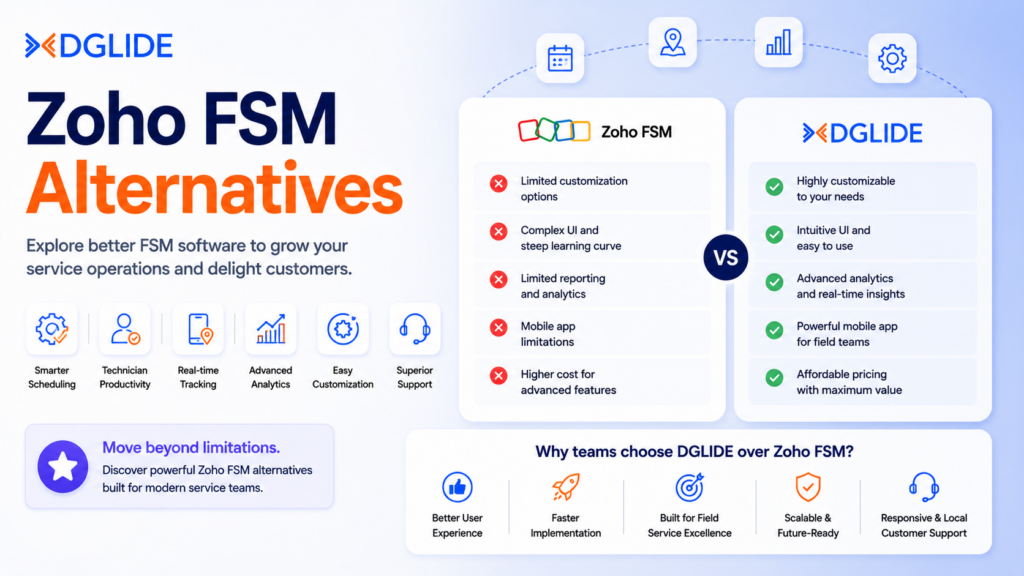
A field service team starts searching for Zoho FSM alternatives when dispatchers spend more time correcting schedules than assigning new work. Zoho’s Field Service Management (FSM) platform covers work orders, appointment scheduling, dispatch views, and technician tracking. It fits small teams already on the Zoho stack.
The problem surfaces when technician count crosses 15 and mid-day changes stop being exceptions. According to MarketsandMarkets, the global FSM market is projected to grow from USD 5.10 billion in 2025 to USD 9.17 billion by 2030 at a 12.5% CAGR, which reflects how many operations teams are actively moving to smarter dispatch.
The switch rarely starts with pricing. Zoho FSM’s free plan removes cost as the early trigger. The real pressure comes from the operating model.
According to the IDC MarketScape Worldwide AI-enabled FSM Applications report, 59.1% of service organisations say their top priority is improving customer retention and satisfaction scores. Manual dispatch correction directly threatens both.
This guide covers the main Zoho FSM alternatives, what each one does differently, and which buyer profile each fits best.
This guide covers the main Zoho FSM alternatives, what each one does differently, and which buyer profile each fits best.
Key Takeaways
-
Zoho FSM alternatives should be judged by dispatch control, not feature count.
-
Static scheduling becomes risky once technicians face daily job delays.
-
Trade service firms need different tools than enterprise facilities teams.
-
AI scheduling now matters because job changes happen during the day.
-
Pricing should include dispatcher time, setup effort, and missed service calls.
-
DGlide fits mid-market teams that need faster setup and no-code control.
What Is Zoho FSM, and Why Are Field Service Teams Replacing It in 2026?
Zoho FSM is a field service management platform that handles service requests, estimates, work orders, appointment scheduling, and technician tracking. It gives dispatchers Gantt, Grid, Calendar, and map views, alongside agent, dispatcher, and field technician profiles.
Teams using the broader Zoho product stack get the smoothest fit because data flows across CRM, Desk, and FSM modules without added configuration.
Our Field Service Management platform is built for a different buyer: mid-market operations teams that need live dispatch control and no-code workflow setup from the first week. The comparison starts to matter when Zoho FSM’s fit runs out.
What Zoho FSM includes
Zoho FSM gives smaller service teams the core layer they need. Customer records, work order creation, appointment visibility, asset tracking, and basic dispatch views are all present.
For a service owner managing 5 to 12 technicians, this covers the daily operating cycle without extra tools.
The issue is not what Zoho FSM stores. It is what the platform cannot do when the day changes. A static dispatch model shows who is available.
It does not update assignments, routes, or customer alerts when a technician runs over, a job is cancelled, or a part is unavailable.
Who Zoho FSM was designed for
Zoho FSM is most effective when field volume is controlled and the dispatcher can watch the board closely. A 5 to 15-technician HVAC or plumbing team can usually manage daily schedules this way. One dispatcher, one screen, predictable job types.
That same model stops working for a 40-technician facilities team split across service zones. The dispatcher is now tracking delays, callbacks, parts issues, and skill-fit questions at the same time.
No single screen solves that load without the platform guiding the decisions automatically.
The 3 signs your field team has outgrown Zoho FSM
Operations teams should watch for these signals before comparing alternatives:
-
Dispatchers rebuild the job board every morning instead of adjusting only exceptions.
-
Technicians call the office for address, asset, or job history details they should already have on their device.
-
Managers cannot see which jobs are delayed until customers start calling.
These are not small usage problems. They show that the FSM platform is recording work but not guiding field movement well enough for the team’s current size.
The Dispatching Blind Spot That Makes Zoho FSM Alternatives Necessary for Growing Field Teams
“If you can’t describe what you are doing as a process, you don’t know what you’re doing.” W. Edwards Deming, Management Consultant and Quality Expert
Source: The W. Edwards Deming Institute
Zoho FSM alternatives become worth serious evaluation when dispatch becomes a live operating problem. The main failure is not always a missing feature. It is the gap between assigning work and adjusting work when the day changes without warning.
A static schedule tells a technician where to go. A dynamic dispatch model updates the next job based on delay, current location, skill set, job priority, and customer SLA state. For teams managing 25 or more technicians daily, this difference is direct and measurable.
Why Zoho FSM scheduling fits simpler operations
Zoho FSM gives dispatchers scheduling views and live location maps. That helps smaller teams see the day clearly. But it does not remove the daily decision load from the dispatcher when unexpected changes arrive.
An HVAC dispatcher still has to notice the delay, choose an available technician, update the customer, and protect the next appointment, all in the same window. The platform records the change. The dispatcher makes every correction by hand.
The specific failure point
The failure appears when the day stops following the original schedule. Emergency jobs, parts delays, late arrivals, and callback visits all change technician capacity mid-shift.
At this point, Zoho FSM alternatives should be judged on how they handle mid-day movement. A strong FSM platform routes work based on skill, current location, availability, job priority, and SLA status, not just the morning plan.
What dynamic scheduling means
Dynamic scheduling means the system helps decide who should take the next job. It does not only show the dispatcher where people are. For a 30-technician plumbing team, the weaker setup stores the job record.
The stronger setup tells operations which technician can complete it with the least disruption to the rest of the day.
Teams that have shifted from managing operations on spreadsheets and manual coordination understand this problem directly.
📊 The typical dispatcher-to-technician ratio in field service operations is 15:1: At this ratio, any mid-day change without automated decision support forces cascading manual corrections across the entire day’s schedule.
Source: ServiceMax, Dispatch and Field Service Scheduling Guide, 2025
🔄 If your dispatchers are still correcting job assignments manually after every unexpected mid-day change, your FSM platform is generating correction work rather than removing it. See how DGlide maps your dispatch workflow end-to-end and closes the gap between job creation and field closure.
How Zoho FSM Alternatives Actually Work: Scheduling, Dispatch, and Work Order Management Compared
Zoho FSM alternatives work differently when they connect job creation, dispatch assignment, mobile updates, job closure, and invoicing into one live field loop.
The value is not in listing more features. The value is in reducing handoffs between dispatchers, technicians, and office staff.
Jobber, ServiceTitan, Zuper, Salesforce Field Service, Oracle Field Service, and DGlide each handle this loop differently. The right choice depends on team size, dispatch complexity, industry, and setup effort.
For teams that need their IT ticketing and FSM platform combined in one operating layer, the evaluation goes beyond scheduling into how cross-department visibility is handled.
How AI-based technician matching replaces manual assignment
A modern FSM setup starts by reading the job type, technician skill, service zone, time slot, asset details, and current workload. The system then recommends or assigns the right technician based on that combination.
The key steps in a live field loop are:
-
Job creation: The service request becomes a work order with customer, asset, and priority details.
-
Technician matching: The system checks location, skill set, and current availability.
-
Dispatch update: The technician receives the job on the mobile app with full job context.
-
On-site closure: The technician updates notes, photos, parts used, and job status from the field.
-
Office action: The job moves toward billing, follow-up, or review without a call back to the dispatcher.
Zoho FSM alternatives should be checked against this full job path. A tool that only creates a cleaner scheduling view may not fix dispatch pressure for a 30-plus technician team.
The work order lifecycle in modern FSM vs Zoho FSM
Zoho FSM provides work order and appointment handling, but growing teams need more than a visible calendar. They need job movement that updates the team without repeated calls.
Zuper describes its dispatch functions around skill sets, technician availability, proximity, ETAs, a centralized dispatch board, and real-time status updates from technicians in the field.
This design, where the field state updates the office automatically, is what separates stronger Zoho FSM alternatives from tools that only improve the dispatcher’s screen.
📋 If your current FSM setup records every job but still depends on your dispatcher calling technicians to confirm where they are, you are managing field operations, not running them. Book a 15-minute call with DGlide to map your current dispatch failure against what a live field loop looks like for your team size.
What Has Changed in Zoho FSM Alternatives in 2026?
Zoho FSM alternatives in 2026 are being judged on AI scheduling, mobile field updates, connected asset data, and pricing models that match how field teams grow. Buyers are no longer checking only whether a tool has work orders, dispatch, and invoicing.
“The field service management market is integrating adjacent technologies, with use-case-specific functionalities becoming widespread.” Gartner Research, Market Guide for Field Service Management, 2025
Source: Gartner Market Guide for Field Service Management
The FSM category is moving because service teams want fewer manual handoffs. They want office teams, technicians, and supervisors reading the same live job state from one platform.
FSM capabilities in 2024 vs 2026
The main shift is not cosmetic. It is a move from schedule display to job decision support.
This is where older Zoho FSM alternatives lists fall short. They compare software names but rarely compare how the operating model has changed under each platform since 2024.
📊 The global field service management market is projected to expand from USD 6.14 billion in 2026 to USD 13.79 billion by 2034: This growth reflects mid-market teams replacing manual scheduling with AI-native dispatch and mobile-first field closure across every major service vertical.
Source: Fortune Business Insights, Field Service Management Market Report, 2025
AI scheduling in 2026
AI scheduling now matters because service days rarely run to the original plan. A technician may spend longer on a repair. A part may be unavailable. A high-value customer may need an earlier slot.
Our guide on FSM for manufacturing covers how operations teams in industrial environments are using AI-driven scheduling to reduce first-time fix failures and schedule preventive work automatically, without dispatcher intervention at each step.
IoT-triggered work orders
Preventive maintenance is also changing. In facilities management and equipment service, work orders are now starting from asset readings, meter data, inspections, and maintenance alerts rather than from customer calls.
Zoho FSM alternatives built for asset-heavy teams should handle this path clearly. A facilities manager does not only need appointment scheduling. They need work to begin when an asset signal says service is due, without the dispatcher making a manual entry.
Which Type of Zoho FSM Alternative Is Right for Your Business?
The right Zoho FSM alternatives depend on business type, team size, and field service complexity. A tool built for a 10-technician plumbing business will not cover a 300-technician facilities team operating across multiple service zones.
Our guide to the best FSM tools for equipment companies covers how selection criteria shift when asset-centric field teams move into mid-market scale.
1. Best for Home and Trade Services
This category covers HVAC, plumbing, electrical, cleaning, and similar home service teams that run high-volume, single-technician jobs with strong invoicing and customer communication needs.
Best-fit tools include:
-
Jobber: Best for small to mid-sized service businesses that need job booking, scheduling, quotes, invoices, online payments, and customer reminders with QuickBooks Online integration.
-
ServiceTitan: Best for larger HVAC, plumbing, electrical, fire safety, and property service teams that need deep dispatching, scheduling, invoicing, pricebook management, payroll, and reporting.
-
Housecall Pro: Best for smaller home service teams that want a simple mobile-first setup for scheduling, customer updates, and technician coordination.
2. Best for Enterprise and Complex Field Operations
This category covers large field teams with complex service rules, multiple regions, strict governance, and deeper admin capacity than a mid-market team can deploy internally.
Best-fit tools include:
-
Salesforce Field Service: Best for enterprises already using Salesforce that need advanced permissions, service workflows, asset data, and customer records in one unified system.
-
Oracle Field Service: Best for large-scale field operations that need complex routing, workforce planning, and multi-location service control across thousands of technicians.
This category requires careful budget and implementation planning. A smaller service business can overbuy significantly if its real need is dispatch clarity, not a full enterprise operating stack.
3. Best for Quick Deployment and Mid-Market Teams
This category covers teams that want faster setup, lower admin load, and better field control without a long platform implementation project.
Best-fit tools include:
-
Connecteam: Best for deskless workforce teams that need scheduling, attendance tracking, communication, and daily task coordination at a fixed price.
-
Zuper: Best for teams that need mobile field access, scheduling, dispatch, work orders, estimates, invoices, and technician status updates.
-
DGlide: Best for mid-market service teams that need live task status, AI scheduling, no-code setup, field coordination, CRM, ticketing, IT Service Management (ITSM), and FSM in one platform.
What to Look for When Evaluating a Zoho FSM Alternative?
Zoho FSM alternatives should be evaluated by failure mode, not by feature list. A tool can have scheduling, dispatch, and mobile access but still fail when dispatchers manage high daily movement without decision support.
An Operations Director should start by asking what broke in Zoho FSM first. Each alternative should then be judged against that specific break.
Our ticket management software guide covers how ticketing fit connects to FSM selection for operations teams managing both service requests and field assignments from one platform.
Dispatch intelligence
The dispatch engine is the first test. If the system cannot match technicians to job type, zone, and availability, it only gives the dispatcher a cleaner screen. It does not give them a smarter operation.
For Zoho FSM alternatives, this is the difference between software that stores field work and software that helps run field work. A 30-technician HVAC business should not depend on one dispatcher’s memory to protect every service slot across the day.
Mobile-first vs mobile-capable
Mobile-capable means a technician can open the app on a device. Mobile-first means the technician can finish the job from the app, including photos, notes, parts, signatures, payment status, and closure codes, without calling back to the office.
That difference matters at scale. Job data should travel from field to office without another call or manual entry at either end.
Integration depth
Accounting sync should not mean exporting partial invoice details at the end of each day. It should carry the full job context that finance needs to close the billing cycle cleanly.
For field service businesses, this means customer details, work order, parts used, service time, technician notes, invoice status, and payment state all need to travel cleanly from the FSM platform to the finance system.
Weak connections create clean-looking dashboards with messy back-office work behind them.
🔍 If your evaluation checklist has a failure mode in dispatch intelligence and your current FSM platform does not address it, the feature count of the next tool is the wrong place to start. Walk through your specific dispatch failure with DGlide in 15 minutes and see which workflow closes the gap first.
Zoho FSM Alternatives Compared: Features, Pricing, and Deployment Time in 2026
Zoho FSM alternatives should be compared across dispatch depth, pricing model, mobile capability, and go-live effort. License price alone does not show the full cost if dispatchers still repair schedules by hand.
A CFO may compare monthly license costs. An Operations Director sees the real cost in missed callbacks, slow job closure, and admin time spent correcting what the platform should have handled automatically.
Zoho’s own pricing page confirms the free entry-point capped at monthly appointments. Jobber publishes plan pricing directly. ServiceTitan uses request-based pricing per technician. Connecteam states its fixed-price model for up to 30 users.
Zoho FSM vs Jobber
Jobber is typically a stronger fit when the business is built around home service workflows. Booking, quotes, invoices, reminders, and payment collection are central to that model.
Zoho FSM makes more sense when the business already uses other Zoho apps and field volume is controlled. Once dispatch complexity rises beyond 15 technicians and daily job changes become normal, Jobber becomes easier for trade service teams to run.
Zoho FSM vs ServiceTitan
ServiceTitan is built for trade service businesses that need deeper dispatch, call booking, pricebook management, payroll, reporting, and membership workflows. It fits larger HVAC, plumbing, and electrical teams with enough admin capacity to run the full platform.
The price and setup path need careful review. A smaller service business risks overbuying if its real need is dispatch clarity and faster job closure, not a full trade service operating stack.
Zoho FSM vs DGlide
DGlide is a stronger fit when the buyer needs faster setup, no-code field workflows, and shared control across FSM, ticketing, CRM, and ITSM in one platform.
This matters most for facilities management, manufacturing service teams, and mid-market field operations across India and the Middle East.
If the decision still comes down to monthly license comparison only, set that against dispatcher hours spent correcting schedules, missed callbacks per week, and delayed job closures per month. The full cost picture changes the conversation.
What a 35-Technician HVAC Team Should Expect When Replacing Zoho FSM
Replacing Zoho FSM is not a software decision. It is a dispatch workflow decision. The teams that migrate cleanest are the ones that rebuild their job assignment logic before a single live record moves to the new platform.
Use Case: A 35-Technician HVAC Operation Rebuilding Dispatch Control
A mid-market HVAC company managing emergency calls, maintenance, and installations across multiple service zones hit a clear breaking point with Zoho FSM. Dispatchers were still calling technicians by phone to confirm job status. Office staff learned about delays only when customers called first. Morning planning was taking too long.
The team migrated zone by zone. Customer data, job types, skill groups, assets, and open work orders moved first. Field staff tested mobile job closure in one zone before the rest of the team went live. The Operations Director signed off on dispatch performance in that zone before the remaining zones were added.
Technicians closed jobs from the field. Office staff tracked delay status without making calls. The dispatcher stopped rebuilding the schedule and started managing exceptions only.
(Source: DGlide Field Operations Analysis, based on mid-market FSM migration patterns across India and the Middle East, 2025)
This pattern applies to any field service team where morning planning has grown longer than the job assignment cycle. Staging the move by zone protects daily operations while the platform proves itself on the ground.
Why DGlide for Mid-Market Field Service Teams Replacing Zoho FSM?
DGlide is built for mid-market field service teams that need stronger dispatch control and faster setup. The fit is strongest when the business has 15 to 100 technicians and the dispatcher still carries too much of the daily decision load.
Our IT Service Management platform works alongside our FSM module, which matters when service work crosses IT and operations teams. DGlide is not the right fit for every buyer. Enterprises with thousands of field users and deep governance requirements will find a stronger fit in Salesforce Field Service or ServiceNow.
For mid-market teams, the value is direct:
-
Dispatch control: Job assignment accounts for technician skill, service zone, and current job status automatically.
-
No-code workflow changes: Operations teams adjust field workflows without raising a support ticket.
-
Mobile field closure: Technicians update job status, notes, photos, and parts from the job site without calling in.
-
Cross-team visibility: FSM, ticketing, CRM, and ITSM operate from one platform rather than three.
-
Faster go-live: Deployments run in days to weeks, not months.
The platform costs 40% less to run compared with SAP Field Service Management or ServiceNow Field Service for mid-market teams.
🛠️ If your team has between 15 and 100 technicians and Zoho FSM still leaves dispatchers managing mid-day changes manually, the gap is in dispatch control, not in your team size. Book a 15-minute demo with DGlide to see live dispatch control mapped to your technician count and service zones.
Conclusion
Zoho FSM alternatives should be reviewed when the field team outgrows appointment tracking and needs tighter dispatch control. The right alternative depends on whether the business is a small trade service firm, a large enterprise team, or a mid-market operation that needs faster go-live without a heavy implementation load.
For an Operations Director or IT Head, the next step is not to select the longest feature list. It is to identify the daily failure mode, test alternatives against that failure, and choose the platform that reduces dispatcher correction work first. Book a 15-minute DGlide demo to map your current dispatch failure against the right FSM workflow for your team size.
FAQs
The right fit depends on team size and dispatch complexity. Jobber covers smaller HVAC teams that need booking, scheduling, and invoice management. DGlide covers mid-market HVAC teams needing faster dispatch control and no-code field workflows.
Migration time depends on data quality, job history, and dispatch workflow mapping. Teams with clean records move faster than those carrying unstructured job history. Migrating by service zone reduces risk and validates dispatch control before the full team moves.
Switching can affect customer data if records are migrated without proper mapping. Customer details, job history, assets, and open work orders should be cleaned before migration starts. Active jobs should move first, before archived records, to keep dispatch stable during the transition.
Zoho FSM has a free entry-level tier that makes it look cheaper initially. But pricing should account for dispatcher time, missed callbacks, and delayed job closures. DGlide costs 40% less to run than SAP Field Service Management for mid-market teams that need live dispatch control.
