

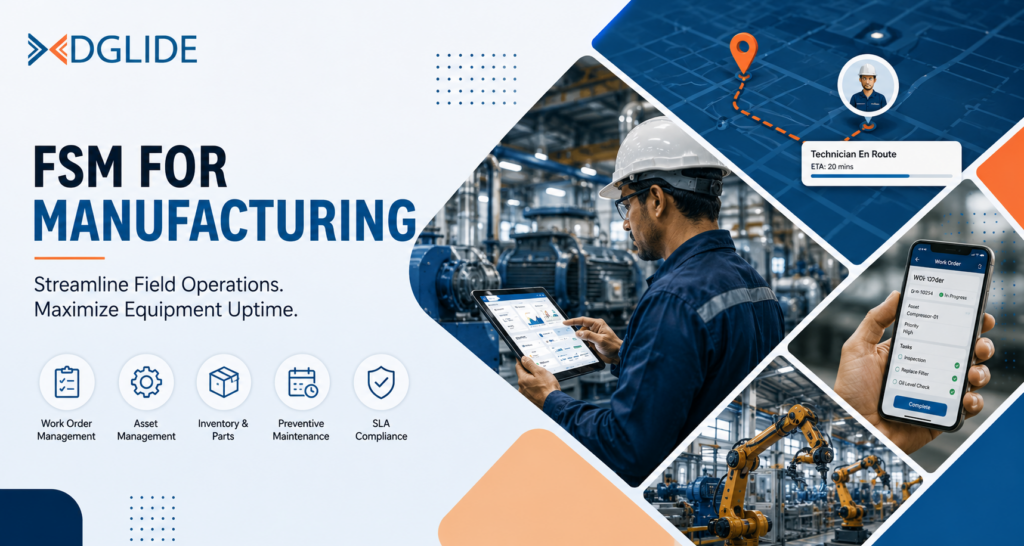
Field service management for manufacturing is the operational system that coordinates field technicians, tracks industrial assets, manages work orders, and maintains equipment across post-production environments.
Most mid-market manufacturers in India and the Middle East run this on WhatsApp groups, Excel schedules, and phone-based dispatch.
That combination stops working the moment a team crosses 30 technicians or a client SLA carries a financial penalty clause.
A VP Operations managing multiple plants is not just dispatching technicians.
They are tracking spare parts, monitoring warranty obligations, managing SLA compliance, and responding to equipment failures across shifts, often on a ManageEngine or Freshservice instance never designed for field coordination.
According to Deloitte, unplanned machine downtime costs industrial manufacturers an estimated $50 billion annually, making it one of the largest avoidable cost drivers in industrial operations.
This blog covers what FSM for manufacturing involves, its key components, and how to identify a field service management platform built for mid-market manufacturing operations.
Key Takeaways:
- FSM for manufacturing manages post-production service delivery across industrial assets, not just technician dispatch.
- Most manufacturing FSM implementations fail because the platform needs a specialist to configure.
- Scheduling, asset management, inventory, mobile access, and proactive maintenance drive real outcomes.
- Field teams outgrow WhatsApp and Excel past 30 technicians.
- In 2026, predictive maintenance via IoT is a baseline requirement, not a premium add-on.
- No-code configuration matters more than feature depth for teams without IT support.
- First-time fix rates improve when technicians arrive with full asset history and confirmed parts.
What Is FSM for Manufacturing?
Field service management for manufacturing coordinates post-production service delivery across industrial assets, including installation, commissioning, scheduled maintenance, and emergency repair.
It connects field technicians, supervisors, spare parts inventory, and asset records into one operational system.
Generic FSM tools are built for HVAC contractors and home service businesses. They handle job assignment well but fall short on asset-specific service procedures, multi-party SLA tracking, and OEM warranty records.
Manufacturing FSM requires asset-centric design that general platforms are not built to deliver.
Why Most FSM Implementations in Manufacturing Miss the Target
Manufacturing companies evaluating FSM for manufacturing focus almost entirely on the feature list. They compare scheduling dashboards, inventory modules, and mobile apps.
Almost none of them ask who on their operations team will configure the system after the vendor finishes the setup.
That is the real reason most manufacturing FSM implementations underperform. The vendor deploys a capable platform, spends six to eight weeks with their own consultants, and then hands it to an operations team that has never touched the configuration layer.
Because apparently, at some point, someone decided that the field team should adapt to the software rather than the software adapting to the field team. Three months later, the field supervisor is back on WhatsApp.
The Problem
Manufacturing operations are not interchangeable. A medical equipment manufacturer has different service documentation requirements than an industrial HVAC installer.
FSM platforms that require scripting or technical configuration to adjust workflows cannot keep pace when operations change, and manufacturing operations change constantly.
The Solution
The FSM platforms that perform in manufacturing are the ones a VP Operations can reconfigure independently, without calling a developer.
DGlide’s no-code workflow engine lets operations teams rebuild service processes using drag-and-drop, without IT involvement.
A manufacturing client replaced ManageEngine-based ticket routing and WhatsApp coordination with a configured DGlide setup in under three weeks.
What Are the Key Components of FSM Software for Manufacturing?
FSM for manufacturing is not a single feature. It is a set of coordinated capabilities covering the full lifecycle of a service request, from the moment a machine sends a fault alert to the moment a technician closes the work order.
The five components below determine whether a platform delivers operational outcomes or just replaces one form of manual work with another.
| Component | What It Does | Without It |
| Scheduling and Dispatch | Matches technician skill set, parts availability, and SLA deadline simultaneously | Field supervisors assign jobs manually by availability, not capability |
| Asset Management | Tracks full service history, warranty status, part replacements, and compliance records per machine | Technicians arrive on site with no context for the last three service visits |
| Inventory Management | Monitors stock levels across technician vehicles, regional depots, and central warehouse in parallel | Parts unavailability is the most common cause of a failed first-time fix |
| Mobile Access | Lets technicians receive work orders, view asset history, and close jobs from the plant floor | Back-and-forth phone calls replace every step a mobile app would handle |
| Proactive and Predictive Maintenance | Schedules servicing by usage cycles and flags at-risk components via IoT sensor data | Reactive maintenance, fixing machines after failure, becomes the default and the most expensive option |
These five components only deliver value when they are integrated. A scheduling module without asset history guesses at technician assignment. Inventory management without mobile access means technicians still call the warehouse from the job site.
What Are the Benefits of FSM for Manufacturing Companies?
The benefits of FSM for manufacturing show up in specific, measurable operational outcomes that a VP Operations or IT Head can track each week.
The table below compares the operational state before and after implementing manufacturing FSM software in a mid-market environment.
| Operational Area | Without FSM for Manufacturing | With FSM for Manufacturing |
| Technician Dispatch | Manual, phone-based; dependent on supervisor availability | AI-scheduled by skill set, parts availability, and SLA priority |
| Asset History | Stored in paper files or individual technician notes | Centralised, searchable, attached to each asset record |
| Spare Parts Tracking | Checked via phone call to the warehouse | Live stock visibility across depot and vehicle inventory |
| SLA Compliance | Tracked manually or not tracked at all | Automated SLA timers with breach alerts to the supervisor |
| First-Time Fix Rate | Low due to missing parts or wrong technician assigned | Improved through pre-visit preparation and parts confirmation |
| Maintenance Model | Reactive: fix after failure | Proactive: scheduled servicing with predictive IoT alerts |
Manufacturing companies that make this transition report fewer emergency call-outs, lower travel costs through route optimisation, and measurable improvement in customer satisfaction scores on OEM service contracts.
For a mid-market manufacturer with 50 to 200 field technicians, these are not marginal differences. They are the difference between retaining a maintenance contract and losing it.
What Has Changed for FSM in Manufacturing in 2026?
In 2026, the baseline expectation for FSM in manufacturing has shifted in three specific ways that were not true three years ago.
Manufacturing companies in India, the Middle East, and Southeast Asia are making buying decisions against a different set of operational requirements.
1. IoT-driven predictive maintenance is now a baseline requirement, not a premium feature.
Manufacturers with connected equipment expect FSM software to receive IoT alerts and convert them into scheduled work orders automatically.
Platforms that still require manual alert entry are losing evaluations to those that do not.
2. Mid-market manufacturers in India are replacing WhatsApp with structured FSM. Missed messages, no audit trail, no SLA tracking, and no visibility into job status are the specific reasons operations managers are making the switch.
The shift is underway across manufacturing companies of 200 to 800 employees.
3. No-code configuration is now expected by manufacturing buyers.
Mid-market manufacturers no longer accept a six-to-eight-week setup requiring a paid consultant.
The platforms gaining traction in 2026 are the ones where an operations manager builds a new workflow on Monday morning and has it live by Monday afternoon. DGlide’s no-code workflow engine is built for exactly this kind of operations-level ownership.
The 2026 landscape for manufacturing FSM is not only about what features the platform has. It is about who controls the configuration and how fast the system adapts when operations change.
Why Should You Choose DGlide for FSM in Manufacturing?
Manufacturing companies using DGlide replace a specific operational problem: coordinating field technicians, tracking asset service histories, and managing work orders across multiple plant sites without needing a dedicated IT specialist to maintain the system. Most manufacturing operations teams we have worked with were managing this on a combination of ManageEngine for internal tickets, Excel for field schedules, and WhatsApp for real-time coordination. DGlide consolidates all three into one platform that the operations team controls directly.
Key capabilities for manufacturing field service operations:
- GPS-enabled field technician tracking with live task status visible to every supervisor
- AI-powered scheduling that matches technician skill set and spare parts availability to each work order
- Asset management with full service history, warranty records, and maintenance schedules per machine
- No-code workflow engine: your operations manager configures dispatch rules and service procedures without calling IT
- Mobile-first field app: technicians receive work orders, access asset history, and close jobs from the plant floor
DGlide deploys in days to weeks. Operations teams we have supported in manufacturing configured their first live workflows without an implementation consultant on site. Compared to SAP Field Service Management or ServiceNow Field Service, DGlide costs 40% less to run and requires no specialist for ongoing configuration changes.
- vs ManageEngine: DGlide handles field team coordination and asset tracking natively. ManageEngine requires workarounds for anything outside internal IT ticketing.
- vs Freshservice: DGlide includes AI scheduling, mobile app, and workflow automation in the base price. Freshservice charges separately for each capability.
- vs SAP Field Service: DGlide deploys in weeks. SAP Field Service implementations average six months with consulting costs that often exceed the software licence.
- vs WhatsApp and Excel: DGlide gives every stakeholder a timestamped, searchable, auditable service record. WhatsApp gives you a scroll history with no SLA tracking and no accountability layer.
DGlide is not the right fit for organisations with 5,000 or more field users across complex multi-region environments — those are scenarios where ServiceNow or SAP genuinely have the depth. For mid-market manufacturers with 50 to 500 field staff who need a working FSM setup without a six-month project, DGlide is built for that. Book a free 15-minute demo to see it configured for your operations.
Conclusion
FSM for manufacturing works when it is built around how a manufacturing operations team actually functions, not around how the software vendor’s consultant prefers to deploy it. Scheduling, asset management, inventory visibility, mobile access, and proactive maintenance each deliver value only when field staff and operations managers can use and reconfigure them without technical support. Platforms that need specialists to make workflow changes will always underperform in manufacturing environments where conditions change weekly.
VP Operations and IT Heads at mid-market manufacturers in India and the Middle East now have access to FSM platforms that deploy in weeks and require no implementation partner. The right platform gives your operations team one system that records everything, tracks every SLA, and removes the dependency on WhatsApp as a coordination tool for 80 field technicians spread across three plant sites.
FAQs
FSM for manufacturing coordinates field technicians, manages work orders, and tracks industrial assets across post-production service environments. It covers scheduling, dispatch, preventive maintenance, and spare parts management. It differs from general FSM by focusing on industrial asset service delivery and production uptime.
Manufacturing FSM software reduces downtime by scheduling preventive maintenance before machines fail. Work orders are created based on usage cycles, manufacturer recommendations, and IoT sensor alerts. Technicians arrive with the right parts and a complete asset service history, which improves first-time fix rates.
Key components of manufacturing FSM software include scheduling, asset management, inventory tracking, mobile access, and proactive maintenance. Each component addresses a specific failure point in manual field coordination. Together, they cover the full service request lifecycle from fault alert to work order closure.
DGlide fits mid-market manufacturing companies that need FSM without a long implementation timeline. It deploys in days to weeks and includes AI scheduling, no-code workflows, and asset management in one platform. Manufacturing teams we supported moved from WhatsApp and Excel-based coordination to DGlide in under four weeks.
